 Skip to content


Memories In Time
4 Generation Ancestry Chart - Free
4 Generation Ancestry Chart - Free
Couldn't load pickup availability
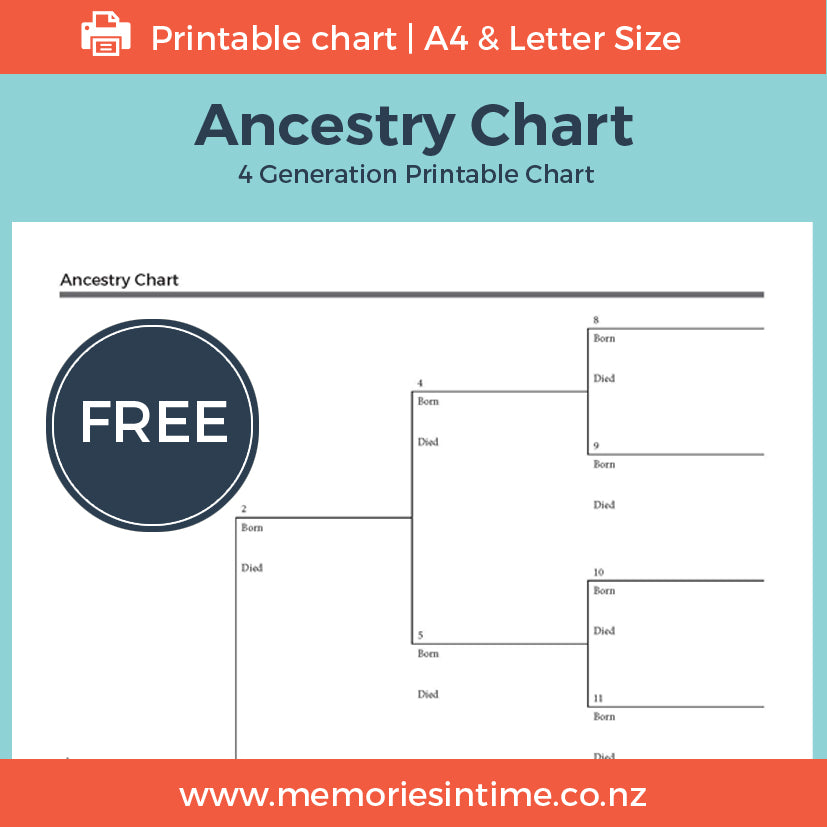
Start building your family tree with this free four-generation Ancestry Chart.
Begin with yourself and work backwards through your parents, grandparents and great-grandparents, recording the names, birth and death details you already know. The gaps you discover can help you decide where to research next.
The chart is designed to give you a clear view of four generations of your family on a single page, making it a useful starting point for your family history research.
You'll also receive my 5 Steps to Start Your Family History, with simple prompts to help you gather what you already have, talk to your family and begin researching.
I provide this chart free to help you get started with your family history. If you'd like to use it with a family history group, class or other organisation, please contact me first.
Ready to go back another few generations?
My 7 Generation Ancestry Chart gives you more room to extend your family tree. You can fill it in before printing or print it and write on it by hand. It is designed for A3 paper.
Start with what you know and see where your family history takes you.
Share
Download Instructions
Download Instructions
My digital products have an immediate download option once you purchase, but I also send you an email with a link to the downloads.
Downloads that are large or have multiple items in them will come as a Zip File. This allows me to send you one file or folder with everything you need in it.
When you download the files, these will either save to your Download folder on your computer or you may be given the choice of choosing where you download the files to (find out how to do this if you are using Google Chrome here). The main thing is to remember where you have saved them, so that you can find them again.
If your download is a Zip file then you next need to unzip it. On a PC you can right click on the file/folder name and choose "Extract All". This will then create an unzipped folder with the same name. On a Mac you can double-click on the .zip file to expand it. Once the file is unzipped you can then use it like any other file on your computer.
Subscribe to our emails
I love sending you news and tips that can help with your research and sharing family history.